
Nassau Cloud Photography: Cloud Imagery Tips for Nassau Films
- Clouds Image Production Ltd.
- May 18
- 3 min read

Capturing the perfect cloud imagery in Nassau requires more than just pointing your camera skyward. The Bahamas offers a unique blend of tropical weather, stunning seascapes, and dynamic cloud formations that can elevate any film or video production. I want to share practical tips and insights to help you make the most of Nassau’s skies for your next project.
Understanding Nassau Cloud Photography
Nassau’s climate creates a variety of cloud types, from fluffy cumulus to dramatic storm clouds. Knowing when and how to shoot these clouds can add depth and emotion to your footage. Early mornings and late afternoons often provide the best light, with soft, warm tones that highlight cloud textures beautifully.
When planning your shoot, consider the direction of the sun. Side lighting enhances the three-dimensional quality of clouds, while backlighting can create striking silhouettes. Use a polarizing filter to reduce glare and increase contrast, making the clouds pop against the blue sky.
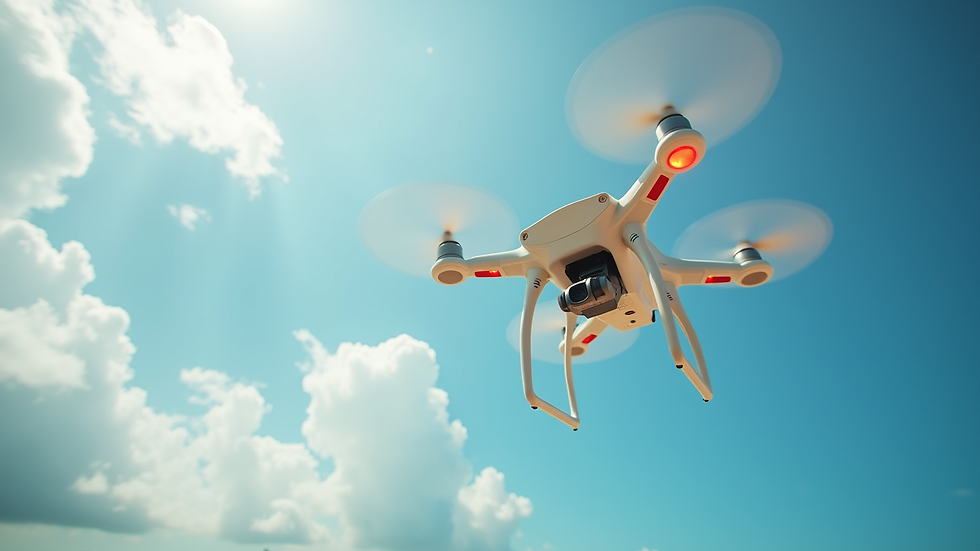
For aerial shots, drones offer a fantastic perspective. Flying above or alongside cloud formations can create breathtaking visuals that ground-level shots cannot match. Just be sure to check local regulations and weather conditions before taking to the skies.

Tips for Shooting Clouds Image Nassau
To capture the best clouds image nassau, preparation is key. Here are some actionable tips:
Scout Locations Early: Identify spots with unobstructed views of the sky and interesting foreground elements like palm trees, beaches, or cityscapes.
Use Manual Settings: Adjust your camera’s exposure manually to avoid overexposed clouds. Lower ISO and faster shutter speeds help retain detail.
Bracket Your Shots: Take multiple exposures at different settings to ensure you capture the full dynamic range of the scene.
Incorporate Movement: Use time-lapse or slow shutter speeds to show cloud movement, adding a dynamic element to your footage.
Monitor Weather Apps: Track cloud cover and weather changes to plan shoots during optimal conditions.
These techniques help you create compelling cloud imagery that enhances storytelling and visual impact.
What is the highest hill in the Nassau, Bahamas?
While Nassau is mostly flat, the highest point in the Bahamas is Mount Alvernia on Cat Island, standing at 63 meters (207 feet). Nassau itself does not have significant hills, but this flat terrain offers wide, open skies perfect for cloud photography. The lack of tall obstacles means you can capture expansive cloudscapes without interruption.
This geographic feature influences how you approach cloud imagery in Nassau. Since the horizon is often low and clear, you can emphasize vast skies and dramatic cloud formations. Use this to your advantage by framing shots that highlight the contrast between the sea, land, and sky.
Equipment Recommendations for Nassau Cloud Imagery
Choosing the right gear can make a big difference in your cloud photography results. Here’s what I recommend:
Camera: A DSLR or mirrorless camera with manual controls is ideal. Full-frame sensors handle dynamic range better.
Lenses: Wide-angle lenses (14-35mm) capture expansive skies, while telephoto lenses (70-200mm) isolate interesting cloud details.
Filters: Polarizers and neutral density filters help manage light and enhance cloud textures.
Tripod: Essential for stability during long exposures or time-lapse sequences.
Drone: For aerial cloud shots, a drone with a good camera and stable flight capabilities is invaluable.
Always carry extra batteries and memory cards. Weather in Nassau can change quickly, so be ready to adapt your setup on the fly.
Enhancing Your Cloud Imagery in Post-Production
Post-production is where your cloud footage can truly shine. Here are some tips to enhance your images and videos:
Adjust Contrast and Highlights: Bring out cloud details by carefully tweaking contrast and highlight levels.
Color Grading: Use warm tones for sunrise or sunset shots, and cooler tones for stormy or overcast scenes.
Remove Noise: Low-light cloud shots may have noise; use noise reduction tools to clean up the image.
Stabilize Footage: If shooting handheld or with a drone, stabilizing your footage improves professionalism.
Add Subtle Effects: Gentle vignettes or graduated filters can draw attention to the clouds without overpowering the scene.
Keep your edits natural to maintain the authenticity of Nassau’s skies. Over-processing can make clouds look artificial and detract from the overall impact.
Making the Most of Nassau’s Unique Cloudscapes
Nassau offers a rare combination of tropical beauty and cinematic potential. By understanding the local weather patterns, using the right equipment, and applying thoughtful shooting and editing techniques, you can create stunning cloud imagery that elevates your film projects.
Remember to plan your shoots around the best light, experiment with different perspectives, and always be ready to capture those fleeting moments when the clouds tell a story. Whether you’re filming a commercial, documentary, or television segment, Nassau’s skies provide a dynamic canvas waiting to be explored.
By following these tips, you’ll be well on your way to producing cloud imagery that stands out and supports your creative vision in the Bahamas.


Comments